For decades, an engineer’s laptop was their castle. We took immense pride in our local setups. We spent hours tweaking dotfiles, optimizing custom scripts, and treating the purchase of a maxed-out, top-tier processor like a rite of passage. The ultimate goal was self-sufficiency: the ability to clone a repository, run a quick setup script, and have a fully functioning ecosystem humming right on our local hardware.
But over the last few years, a quiet friction has taken over the industry.
Today, setting up a local environment on a new machine doesn’t take an hour — it takes days. Engineers routinely fight broken Docker daemon paths, mismatched architecture compilation errors (the eternal x86 vs. ARM struggle), and local machine thrashing.
The truth we need to admit is uncomfortable but liberating: the local development environment is dying.
The modern software stack has outgrown the silicon in our laps. The future of engineering isn’t a heavier laptop; it’s a seamless, cloud-hosted workspace. Here is a technical look at the four massive architectural forces making the local dev loop obsolete.
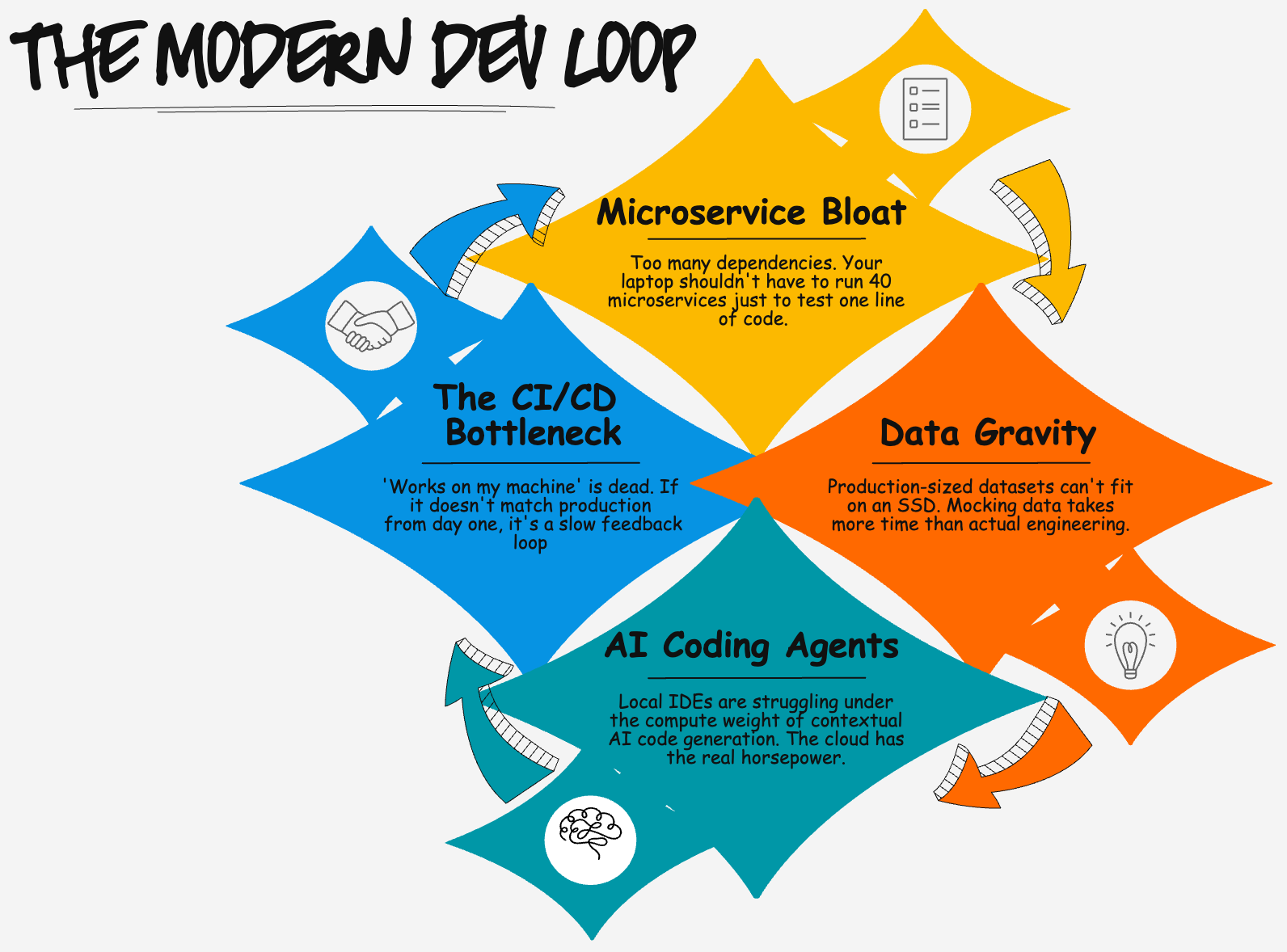
1. Microservice Bloat and Environmental Drift
In a monolithic world, running an application locally was simple. You spun up a server, connected to a local database instance, and you were testing code.
In a modern cloud-native architecture, that simplicity is gone. Applications are fractured into dozens, sometimes hundreds, of microservices. To test a single line of code in an edge service, your machine suddenly needs to run an API gateway, an authentication service, three upstream microservices, a message broker like Kafka, and multiple distributed data stores.
Trying to replicate this via complex docker-compose files or local Kubernetes clusters (like minikube or Kind) turns software engineers into part-time systems administrators.
Worse than the resource strain is environmental drift. No matter how clean your local containers are, they are a simulation. They don’t account for cloud-native IAM policies, network security groups, service meshes, or managed cloud services. The inevitable result? The dreaded phrase: “Well, it worked on my machine.”
When “working on my machine” doesn’t guarantee it will work in staging, the local environment has failed its primary objective.
2. Data Gravity and the Mocking Paradox
Code is lightweight; data is heavy. As enterprise applications scale, they generate massive, deeply intertwined datasets. This introduces the problem of data gravity — the data is too large and too complex to be easily moved or replicated.
When developing locally, engineers are faced with two bad options:
- Download a subset of production/staging data: This risks data compliance violations (GDPR/HIPAA), eats up local SSD storage, and quickly becomes stale.
- Write complex data mocking scripts: Engineers end up spending a surprising share of their engineering cycles writing and maintaining mock data pipelines just to keep their local environments from crashing.
This is the mocking paradox: we spend more time pretending to connect to the data environment than we do writing the actual business logic. Cloud-based development environments solve this by allowing workspaces to securely hook into isolated, ephemeral cloud data stores that identically mirror production volume and complexity without ever touching local hardware.
3. The Compute Demand of AI Coding Agents
The developer workflow is undergoing a massive paradigm shift. We are moving away from merely writing syntax line-by-line and moving toward orchestrating autonomous AI coding agents and reasoning engines.
These advanced contextual AI assistants don’t just look at the open file in your IDE; they parse entire repository structures, analyze deep dependency graphs, and lean on heavy semantic embeddings to give you precise, accurate code generation.
Here’s the interesting part: most of that embedding and inference compute already runs in the cloud. Tools like Cursor, Copilot, and Cody parse and index your code locally, but ship the heavy lifting — the embeddings, the model inference — off to their own servers. And that’s exactly the point. When the most powerful part of your toolchain already assumes cloud-side horsepower, keeping the rest of your workflow stranded on a laptop starts to look like the odd one out.
Meanwhile, your local machine is still the one juggling everything else: compilation, local databases, dozens of containers, language servers, and the indexing the AI layer piles on top. Add it all up and consumer hardware hits its limit fast. The cloud provides the elastic, specialized compute (GPUs and TPUs) to feed these AI workflows at lightning speed — without your laptop’s fans sounding like a jet engine taking off.
4. Breaking the CI/CD Feedback Loop
The ultimate metric for any engineering team is velocity — how quickly can an idea travel from a developer’s brain into a production environment safely.
Local development inherently throttles this velocity by creating a fragmented feedback loop. A developer writes code locally, passes it off to a remote CI/CD pipeline, waits 15 minutes for the build to run, only to find out that a subtle environment variable mismatch or architectural difference caused a test failure. You context switch back, try to replicate the failure locally, and repeat the cycle.
By moving the development workspace into the cloud, the boundary between development, testing, and production evaporates. Your workspace lives inside the secure cloud ecosystem. The feedback loop is instantaneous because your code is compiled, containerized, and tested in an environment that is architecturally identical to the one it will be deployed to.
But Let’s Be Honest: Local Isn’t Dead Everywhere
If I’m calling the local environment dead, I owe you the other side of the ledger — because cloud dev isn’t free of pain, it just trades one set of problems for another.
It costs money, continuously. Your laptop is a sunk cost you already own. A cloud workspace bills by the hour, every hour it’s running. For a large team, “spin up 32 cores for five minutes” is wonderful — until someone leaves forty workspaces idling over a long weekend and finance asks questions.
It assumes the network is always there. A local environment works on a plane, in a basement, on hotel Wi-Fi that can barely load email. Move your dev loop to the cloud and your connection becomes your dev loop. Flaky network, laggy keystrokes, frustrating day.
Latency is real. For a lot of work the round-trip to a remote workspace is invisible. For tight, keystroke-sensitive feedback loops, even a small lag between typing and seeing a result can break flow in a way a local machine never does.
And some work is just better local: a quick throwaway script, a weekend hobby project, learning a new language from scratch, anything where you don’t want a meter running while you think.
So I’ll soften my own claim, just a little: the local environment isn’t dead for everyone. It’s dying for a specific and growing class of work — large, cloud-native, data-heavy, team-scale systems. The more your project looks like that, the more the laptop becomes the bottleneck. The less it does, the longer local will serve you just fine.
The Shift to Ephemeral Workspaces
Giving up our local environments can feel like losing control, but for the class of work where it makes sense, the benefits of moving to cloud-hosted developer workspaces (like GitHub Codespaces, Gitpod, or custom cloud-dev platforms) are undeniable:
- Onboarding in seconds: A new engineer joins the team, clicks a link, and a fully configured, production-mirroring development workspace spins up in a cloud container within seconds. No more “Day 1 and Day 2” spent installing dependencies.
- Security and compliance: Source code and sensitive corporate data never leave the secure cloud perimeter. If an engineer loses their laptop, there is zero data risk.
- Infinite elasticity: Need to compile a massive build? Scale your cloud workspace to 32 cores for five minutes, then scale it back down.
The local development environment served us beautifully for decades. For the heavy, cloud-native, team-scale work that increasingly defines our industry, it’s time to let it go. The modern dev loop belongs where our applications live, scale, and thrive: in the cloud.
What does your team’s development workflow look like today? Are you still optimizing local Docker configurations, or have you embraced the shift to cloud-hosted workspaces? Let’s discuss in the comments.