Imagine two chefs.
The first one is brilliant — but he only cooks when you walk in and place an order. No order, no food. He stands in the kitchen, knives sharpened, waiting. Every single meal needs you to show up and ask.
The second chef is just as skilled. But she’s also figured out your week. She preps your lunches every morning before you wake up, checks the pantry on Sundays, and texts you when the milk is about to run out — all without being asked. You didn’t place an order. The work just… happened.
For the last two years, almost every AI agent we built was the first chef. Smart, capable, and completely idle until a human pressed a button. That’s changing. The second chef is here — and it’s one of the most important shifts in how we’ll work with AI.
It’s called the scheduled agent, and once you understand it, you stop asking “how clever is this AI?” and start asking a much better question: what useful work should this thing do at 3 AM without me watching?
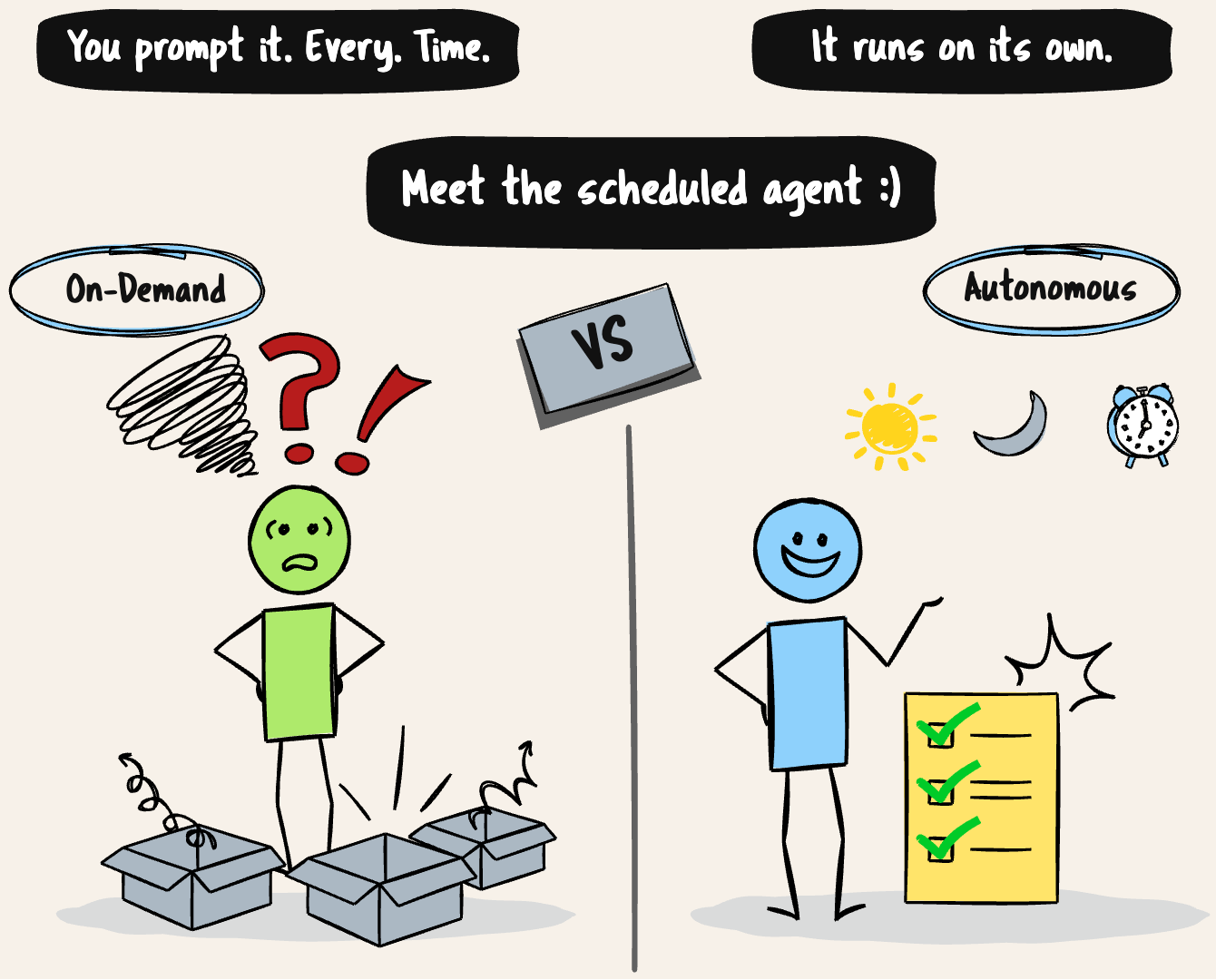
From “answer me” to “handle it”
Here’s the shift in one line: an unscheduled agent is reactive. A scheduled agent is operational.
Reactive means it waits. You prompt it, it answers, the session ends, and it goes back to sleep until you poke it again. That’s most of what we’ve used AI for so far — a very smart vending machine. Useful, but it only moves when you put a coin in.
Operational means it runs on its own cadence. It wakes up on a schedule, does its job, reports back, and goes quiet again — no human required to start it. The difference sounds small. It isn’t. It’s the difference between a slightly faster way to do manual work and actual automation.
Because here’s the thing most AI demos quietly skip over: if a human still has to initiate every task, you haven’t automated anything. You’ve just made the manual step faster. Real automation means the work happens whether or not you remember to ask for it.
How a scheduled agent actually works
Let’s open the hood. A scheduled agent is really just four pieces wired together.
1. A trigger. Something decides when the agent runs. The most common form is the humble cron job — a decades-old Unix mechanism for running tasks on a time schedule. A cron expression looks cryptic at first but reads simply once you know the pattern:
0 6 * * *
│ │ │ │ │
│ │ │ │ └── day of week
│ │ │ └──── month
│ │ └────── day of month
│ └──────── hour
└────────── minute
That one means “run at 6:00 AM, every day.” 0 * * * * means every hour on the hour. 0 9 * * 1 means 9 AM every Monday. That’s the whole language — five fields, and you can describe almost any schedule.
Time isn’t the only kind of trigger. There are broadly three:
- Time-based (cron): run on a clock. Daily briefings, hourly checks, weekly reports.
- Event-based (webhooks): run when something happens elsewhere — a new error in your monitoring tool, a payment in Stripe, a message in a channel.
- Condition-based: evaluate a rule first, and only act if it’s met. “Only wake me if the queue is over 100.”
2. The agent loop. When the trigger fires, the agent does what agents do — it reasons about the task, calls tools, observes the results, and decides the next step. The new part isn’t the loop. It’s that nobody started it.
3. The tools. A scheduled agent that can’t touch anything is just talking to itself. The value comes from what it can reach: your email, a database, an API, a browser, a Slack channel. The schedule decides when; the tools decide what it can actually do.
4. The report. Because you weren’t watching, the agent has to tell you what it did. A summary in Slack, an email digest, a row appended to a sheet. If a scheduled agent does great work and never reports it, you’ll never trust it — and you’ll quietly turn it off.
Four pieces. Trigger, loop, tools, report. That’s a scheduled agent.
What is this actually good for?
The patterns that stick — the ones people set up once and never disable — tend to share a shape: recurring, time-driven work that’s valuable but boring. A few that show up again and again:
- The morning briefing. A 6 AM job that pulls your calendar, inbox, and the day’s relevant news, then drops a single digest in your chat before you’ve had coffee. This is the gateway drug — almost nobody turns it off.
- The watcher. Every few hours, scan for the thing you’d otherwise forget: an invoice that arrived, an error that spiked, a contract nearing renewal. Extract what matters, log it, flag you if it’s urgent.
- The reviewer. Twice a day, check for pull requests waiting on review, summarize the diff, and nudge the team. Reviews happen faster when people actually know there’s something waiting.
- The prepper. Fifteen minutes before each meeting, pull the previous notes and relevant context so you walk in ready instead of scrambling.
Notice what these have in common. None of them are clever. They’re not solving hard problems. They’re solving the problem of remembering to do small things consistently — which, it turns out, is most of what eats our weeks.
When NOT to reach for this
This is the part the hype skips, so let me be direct: scheduled agents are the wrong tool for plenty of jobs.
If a task is a one-off, don’t schedule it — just ask. If it’s genuinely event-critical and can’t wait for the next cron tick (a security alert, a payment failure), you want a real-time event trigger or a proper alerting system, not a job that runs “every hour.” And if the task needs a human judgment call every time, automating its initiation just means you’ve built something that pesters you on a timer.
The mental model: scheduled agents earn their keep on recurring, time-driven, low-stakes-per-run work. The more a task drifts toward one-off, instant, or high-stakes, the less a schedule is the answer.
The gotchas nobody puts in the demo
Here’s where I want to be the honest friend rather than the hype account. Scheduled agents are genuinely useful — and they bite in specific, predictable ways. Knowing these upfront is the difference between automation that helps and automation that quietly causes damage at 3 AM.
1. The token tax. A reactive agent costs you tokens only when you use it. A scheduled agent costs you tokens every time it runs, whether or not there was any real work to do. An hourly job using a top-tier model can become a genuinely expensive habit you forget you’re paying for. The fix: tier your models. Not every cron job deserves your most powerful (and priciest) model — use a cheap, fast model for the routine checks and save the heavy reasoning for when it’s actually needed. And set budget alerts.
2. Silent failure is worse than no automation. If a scheduled job fails and nobody notices, you don’t have automation — you have hidden failure. You think the invoices are being tracked. They’re not. The job’s been dying quietly for three weeks. Every scheduled run should log what it did, and every failure should be loud. If it breaks, you should hear about it.
3. “Did I already do this?” A reactive agent runs once because you asked once. A scheduled agent runs again and again — and if it isn’t careful, it’ll redo work, send duplicate messages, or double-process the same data. Scheduled agents need to be idempotent: before acting, they should check whether they’ve already done this. It sounds obvious until your agent emails the same client the same reminder four mornings in a row.
4. Memory across runs is hard. A market-research agent that runs daily shouldn’t scrape the same sites blindly each morning — it needs to know what it saw yesterday to spot what’s new. The moment your agent needs continuity between runs, a simple cron job turns into a genuine state-management problem. Decide early where the agent’s memory lives.
5. Give it a timeout and a leash. An agent left to run unsupervised can get stuck in a loop, burn resources, or wander somewhere it shouldn’t. Every scheduled agent needs a hard timeout. And for anything consequential, build in a human handoff: if the agent’s confidence is low, it should pause, save a draft, tag a person, and wait — not barrel ahead and act on a guess while everyone’s asleep.
None of these are reasons to avoid scheduled agents. They’re the difference between someone who demos one and someone who runs one in production.
What happened when I tried it
I built a small newspaper agent to test this for myself.
Its job is simple: every 4 hours, six times a day, it goes out and gathers the news that matters. It doesn’t dump everything on me — it collects, it filters, and it remembers what it already saw earlier in the day. Then at midnight, it does the part I actually care about: it summarizes the day’s important stories, packs them into a clean PDF, and emails it to me.
I wake up to a finished morning paper that nobody had to make.
What struck me wasn’t the AI being clever — the summaries are good, but that’s not the point. The point is that I set it up once. Six collection runs, one nightly summary, a PDF, an email — all of it now just happens. I’m not prompting it six times a day. It’s the second chef, quietly prepping while I’m asleep.
The bigger picture
For most of the short history of AI assistants, the relationship has been simple: you ask, it answers. The agent was a tool you picked up when you needed it and put down when you were done.
Scheduled agents quietly change that relationship. The agent stops being a tool you reach for and starts being something closer to a colleague with a calendar — one who has standing responsibilities, shows up on time, and tells you what got done. You’re no longer the one holding the knife, cooking every meal to order. You’ve hired the second chef.
That’s a bigger deal than it looks. The question for the next year of building with AI isn’t going to be “how smart is the model?” It’s going to be the quieter, more practical one:
What should it be doing while I sleep?